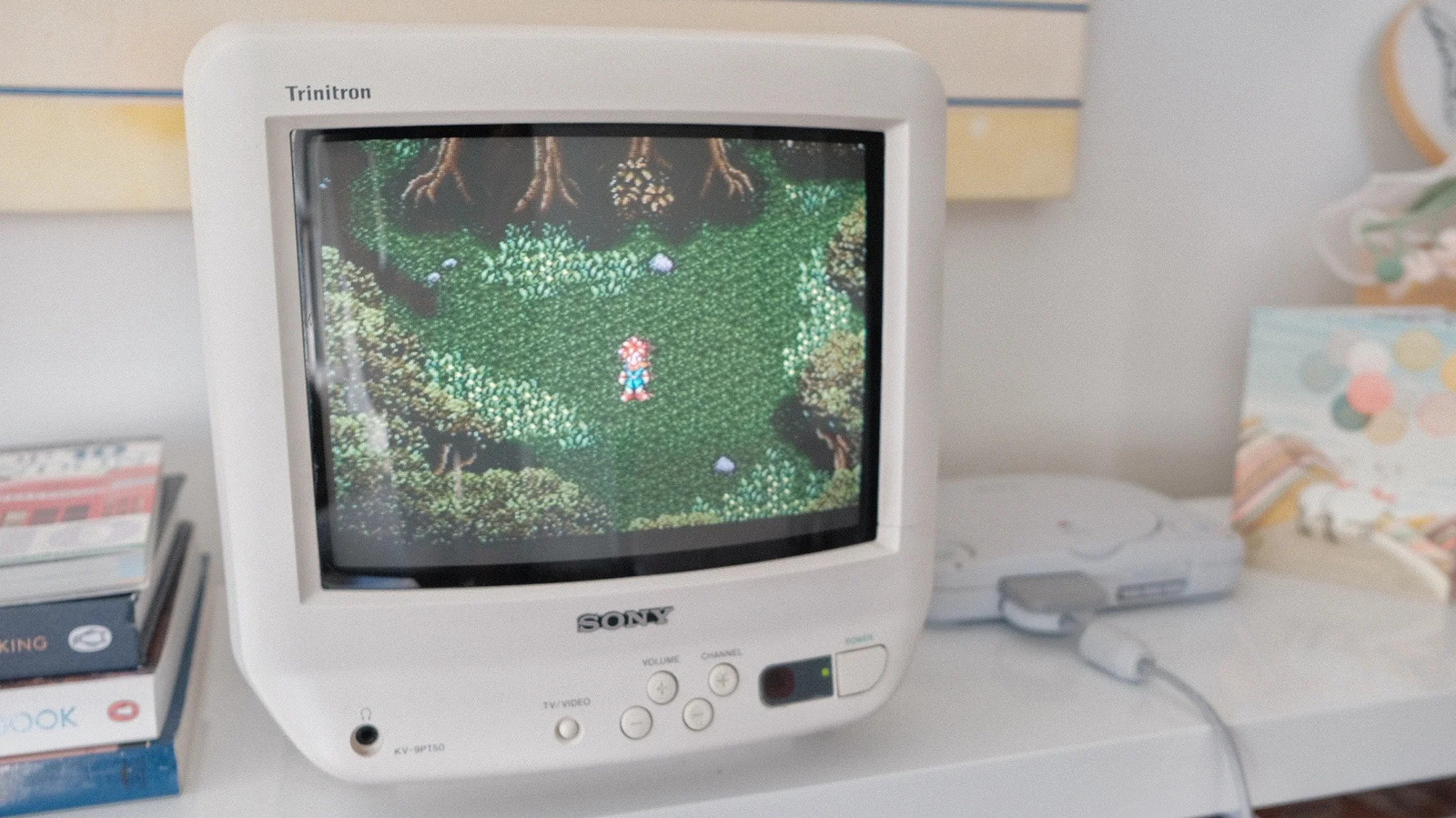
Your favourite childhood video games did look better when you were a kid, but it's not just nostalgia. Anyone who has tried playing old consoles on modern televisions or monitors has probably been disappointed by what they saw. The problem doesn't occur with versions ported to current systems, but it's immediate with the original hardware. Though it's easy to blame nostalgia, the reason retro favourite games don't look as you remember is more complex.
The games weren't designed to be seen on modern flat screens. Titles from the 1980s, 1990s and early 2000s were created for the dominant display technology of their era: the cathode ray tube, or CRT. It's an example of how technology and its changes can shape an art form. The discrepancy found when revisiting a favourite game is the result of playing it outside the context in which it was originally experienced.
Inside each bulky CRT monitor is a sealed vacuum tube with one or more electron guns pointing at a phosphorescent screen. CRT televisions and monitors don't display individual pixels like their modern counterparts. Instead, they draw many horizontal "scan lines" each time the electron guns fire and light up the phosphors at the front of the screen. These lines are traced from left to right, top to bottom, for each frame the screen renders. However, to the human eye, that process seems instantaneous.
This is quite different from how LCD and OLED screens work. These use a technique called "sample-and-hold", which means they display a complete frame and hold it until it updates. Due to this technical difference, CRTs offered much greater motion clarity than their LCD counterparts for many decades. Only recently, with the introduction of high refresh-rate screens, have LCD and OLED screens come close to matching CRTs in that regard. This is evident when you revisit a game like The Legend of Zelda: Ocarina of Time. Its frame rate was low (20FPS) and inconsistent when you were a child, but it was less noticeable because of how CRTs handled motion.
Motion is just one part of why retro games don't look good on modern televisions; resolution is the second important factor. CRT monitors don't have "native" resolutions like their LCD and OLED counterparts. They can render many different resolutions without the blur that occurs when you try to run a flat screen at a resolution lower than native. The console video game industry standardised around two resolutions before the PlayStation 3 and Xbox 360 era: 240p and 480i.
Nowadays, 240p and 480i are defined as "standard definition" resolutions to distinguish them from the "high definition" and "ultra high definition" resolutions that came after. Most CRT televisions ever made were standard definition sets. Some high definition sets were manufactured, but at the beginning of the HD era, LCD screens had begun to surpass CRTs in popularity.
The number in each resolution is straightforward: 240p meant that a CRT television drew 240 horizontal lines, while 480i drew 480 lines. The letter following each resolution is more complicated. The "i" in 480i is short for "interlaced". When displaying an interlaced signal, a screen makes two alternating passes to draw an image. It first draws all the odd-numbered lines before doing the same for all the even-numbered lines. This sounds like a complicated way to render an image, but at a time when technology was limited, interlacing allowed broadcasters to save bandwidth. A byproduct of interlacing was producing the flicker that CRTs are known for.
In contrast, the "p" in 240p stands for "progressive", which works exactly as it sounds. Such screens will draw all the lines in an image consecutively. All HD resolutions are progressive resolutions. 240p allowed CRT televisions to render an image without flicker, and before the PlayStation 2 and GameCube era, it was the resolution most consoles aimed for for that reason. However, standard definition CRTs render 240p differently from modern televisions. They leave the even-numbered lines black. Many people refer to these lines as "scan lines", though technically it's incorrect. Still, those lines, especially when combined with pixel graphics, are what most people think of as the CRT look.
Now we have enough foundation to understand why retro games look the way they do on modern televisions. One major problem is that recent LCD and OLED televisions don't offer good analogue connections. If you're lucky, your television might have composite ports. But even in that case, composite cables introduce a lot of noise into your console's signal.
Another hurdle is that modern screens aren't designed to display interlaced content. They use software to convert 480i content to 480p. That process, known as "deinterlacing", introduces input latency, which makes games feel less responsive. Additionally, many modern televisions will detect 240p content as 480i, which they will then try to deinterlace again. In that case, the process produces visual artefacts such as motion blur. All this happens before your television tries to scale a 480p image to 1080p or 4K. Unless you own a dedicated scaler like RetroTink 4K, scaling a 240p image to 4K won't look good.